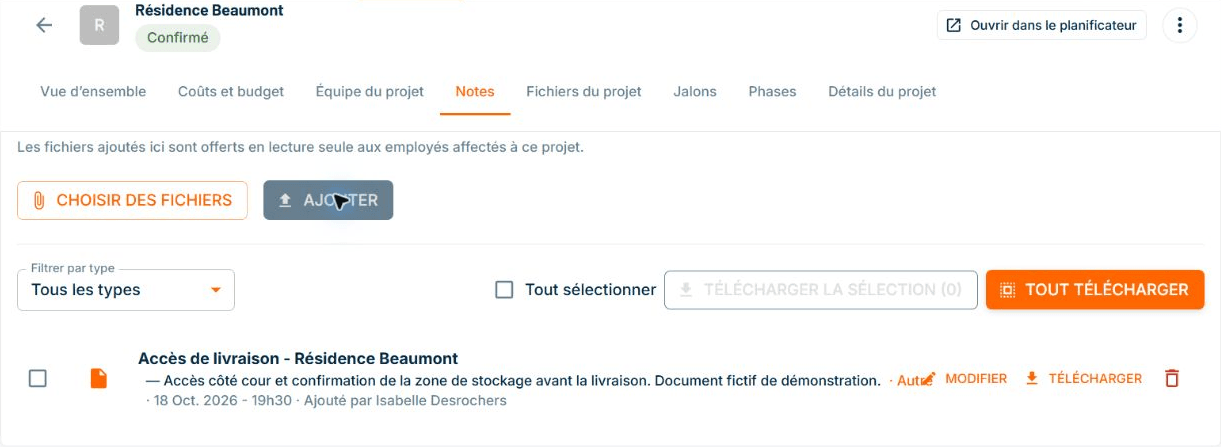
Site documents: access on your cellphone
ConstruMD
Nov 5, 2026
All Posts
SHARE THIS POST
Published : November 5, 2026
A small accepted job can remain without a date for a long time, even if it only requires a few hours. Large projects already fill the schedule, and you wait for an opportunity to send someone. Meanwhile, the client calls back, and you have to start the discussion from scratch.
To propose a day, you need to see where this task can fit into the schedule of the person who will perform it. It's this link between the small job and the already planned projects that allows you to move from a promise to a prepared date.
Projects lasting several weeks get their place on the calendar right from the start. A short task seems like it can be slotted in later between two projects. It is accepted, but no day or employee is reserved for it.
At the next client call, you need to recall what was agreed upon, check who could go, and review that person's commitments. Giving a date in a rush, without consulting other commitments, may require pulling an employee from an already planned project. You then have to adjust that project's schedule or call the client to reschedule the visit.
You also need to prepare the travel, materials, and access. As long as the day remains undecided, these details also remain to be settled.
The resource planner groups projects under each employee in the Resources view. You see their different assignments in the same calendar. This allows you to find a day for the small job considering already promised work, rather than examining each project separately.
In the demonstration below, work at the Cartier Duplex occupies Monday and Tuesday, then Thursday and Friday. No assignment appears on Wednesday, November 18. This day can be considered for the Dufour Residence, without moving the main project's periods.
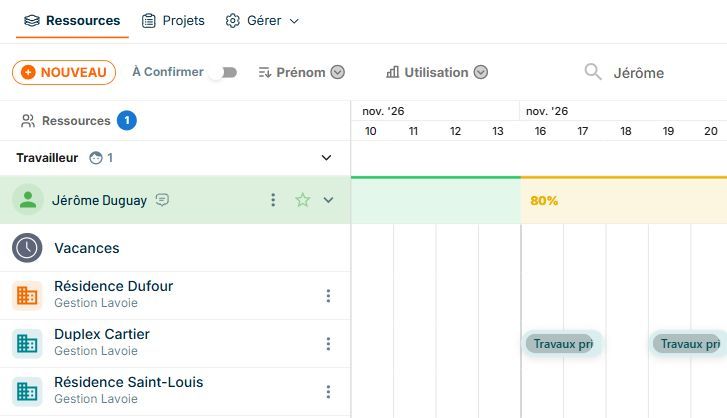
Demonstration data. On the "Cartier Duplex" line, the two periods surround Wednesday, November 18. The "Dufour Residence" line is still empty.
You now have a day to check with the client. Access, materials, and travel time are part of your decision before confirming it.
Once the day is chosen, the ConstruMD planner allows you to link the project to the employee and record their work period. You specify the date, the number of days, and the planned hours per day. Our planner calculates the total hours for this period and displays it in the assignment window.
In this demonstration, the small task is recorded on Wednesday, November 18, with four hours planned. It then appears under the same employee as the main work. Its date and the person responsible are visible in the schedule.
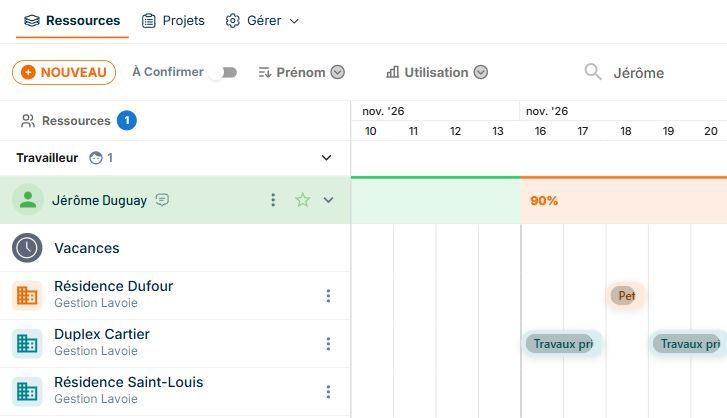
Demonstration data. The new orange period appears on Wednesday, November 18. The main work remains on the same dates, before and after this task. The saved assignment plans four hours for the small job.
The two periods at the Cartier Duplex remain on the same dates. The calendar allows you to check this sequence between projects and prepare the transition to the Dufour Residence without reorganizing the main work.
You can propose a date knowing which person is planned and what work surrounds their visit. You agree on the day with the client, then prepare the instructions and materials for this task.
When you prepare the week's schedule, the small job already has its place. It becomes a trip to organize in advance, rather than a promise to settle at the next call.
Try the ConstruMD planner for free for seven days and find a place for a pending small job in your team's schedule.
You might like
ConstruMD
Nov 5, 2026
ConstruMD
Nov 5, 2026

ConstruMD
Nov 5, 2026