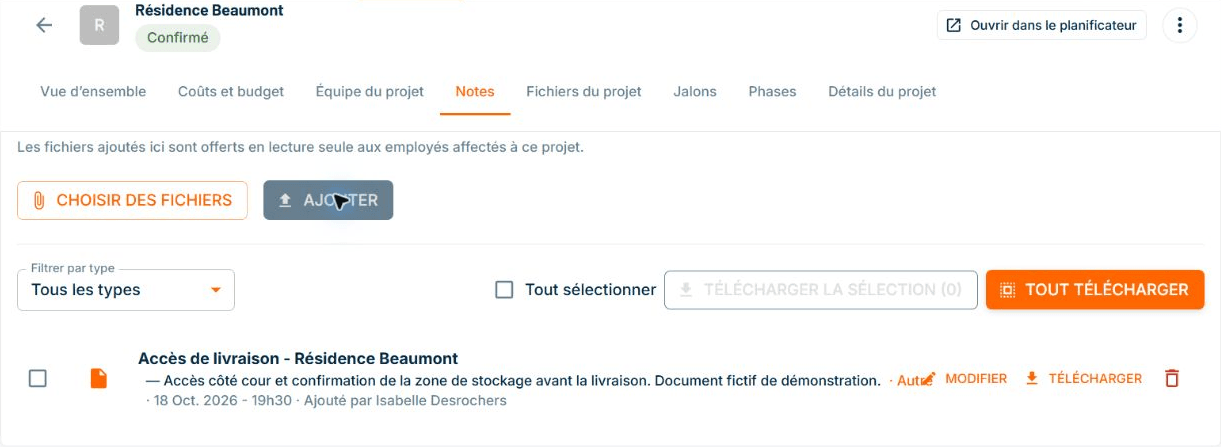
Site documents: access on your cellphone
ConstruMD
Nov 5, 2026
All Posts
SHARE THIS POST
Published : November 5, 2026
A delivery access is confirmed over the phone, but the place to store the materials is yet to be determined. When preparing the next intervention, you need to find both pieces of information: what is settled and what still awaits a response.
In ConstruMD, you can keep these details in the project notes. The text stays with the project, accompanied by its date and time. This way, you can recall the context before preparing the next visit, even if several other projects have progressed in the meantime.
Changes do not always result in a document. A call specifies the access to use, a visit confirms a detail, and an exchange leaves a point to be resolved. At the moment, the information is clear. It becomes more difficult to find a few days later.
The risk often comes from a note that is too short or stored elsewhere than in the project file. "Delivery confirmed" can suggest that everything is ready, while only the unloading location has been agreed upon. The confirmation still awaited disappears behind the one that has been obtained.
Before bringing in the materials or preparing the team, you need to call back to reconstruct the situation. If the detail is missing, unloading may begin without an agreed storage location. A solution must then be found on-site while the delivery or workers wait.
The "Notes" section of the ConstruMD project file allows you to keep information in free text. You can note the confirmation obtained, the resulting instruction, and the point that remains open. The project file becomes the place to return to find this detail.
In the demonstration, the note for Résidence Beaumont indicates that delivery access has been confirmed with the building management. It specifies unloading on the courtyard side and keeping the passage to the apartments clear. It also retains the important reservation: the storage area still needs to be confirmed before bringing in the materials.
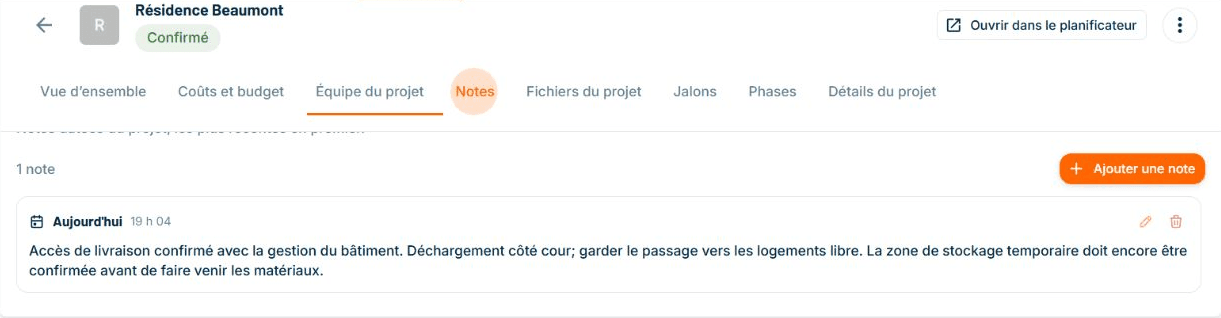
Fictitious demonstration data. The note distinguishes the confirmed access from the storage still to be confirmed. The displayed date and time accompany the text recorded in the project file.
This information stays together. By rereading the note, you see what you can already rely on and what confirmation is missing to prepare the next steps.
The free text allows you to write with the vocabulary of your project. A useful note names the subject, specifies what has been agreed upon, and keeps the conditions to be respected. "Unloading on the courtyard side; passage to the apartments to be kept clear" will be easier to refer back to than a simple "access settled."
The date and time are added to the record. They provide a reference when you return to the file to prepare an intervention or check when the detail was recorded. You find the note by reopening the project section.
Before reviewing the schedule or organizing a delivery, you can reopen the project file and reread the note. You then decide on the follow-up: obtain the missing confirmation, remind an access condition, or take the detail into account in preparing the intervention.
This memory of the file complements the ConstruMD resource planner. The calendar helps you consult the work organization; the note allows you to find a detail that matters for the future. You start from the recorded information rather than searching for who gave you the last detail.
Try ConstruMD by keeping a detail in a first project that you will need for the next visit. You will be able to find it with the project when preparing the next steps.
You might like
ConstruMD
Nov 5, 2026

ConstruMD
Nov 5, 2026

ConstruMD
Nov 5, 2026